Radiology · Reporting assistant
IMORAY
You choose the template and dictate your findings. IMORAY places them in the template and drafts the impression as editable text, and you review, correct and approve every report.
Available now · 7 days free, no card required
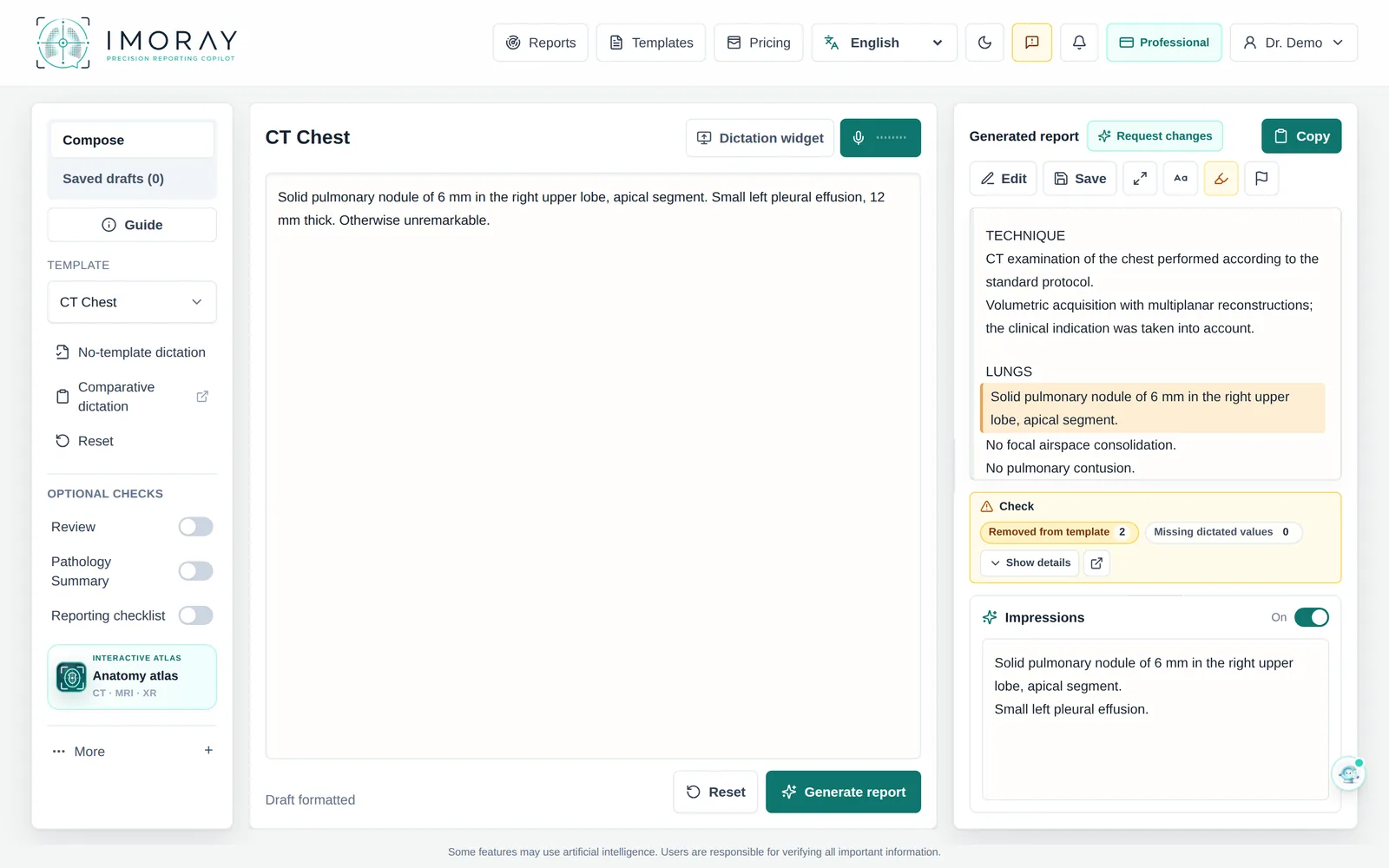
IMORAY takes on the repetitive part of reporting: putting the findings into your template, drafting the impression and keeping left, right and numbers in view while you reread. The judgment and the final report stay yours.
How it works
Choose the template
Start from a standard template or from your own, pasted exactly as you use it, with your headings.
Dictate
Press the dictation button or F8 and speak. The text appears in your clinical language, and you can correct it before generating.
Review and copy
IMORAY drafts the report and the impression as editable text. You compare them with the images and source data, correct what is needed and copy the report in one click.
Inside IMORAY
App screenshots with a synthetic case and no patient data. Click one to see it full size.
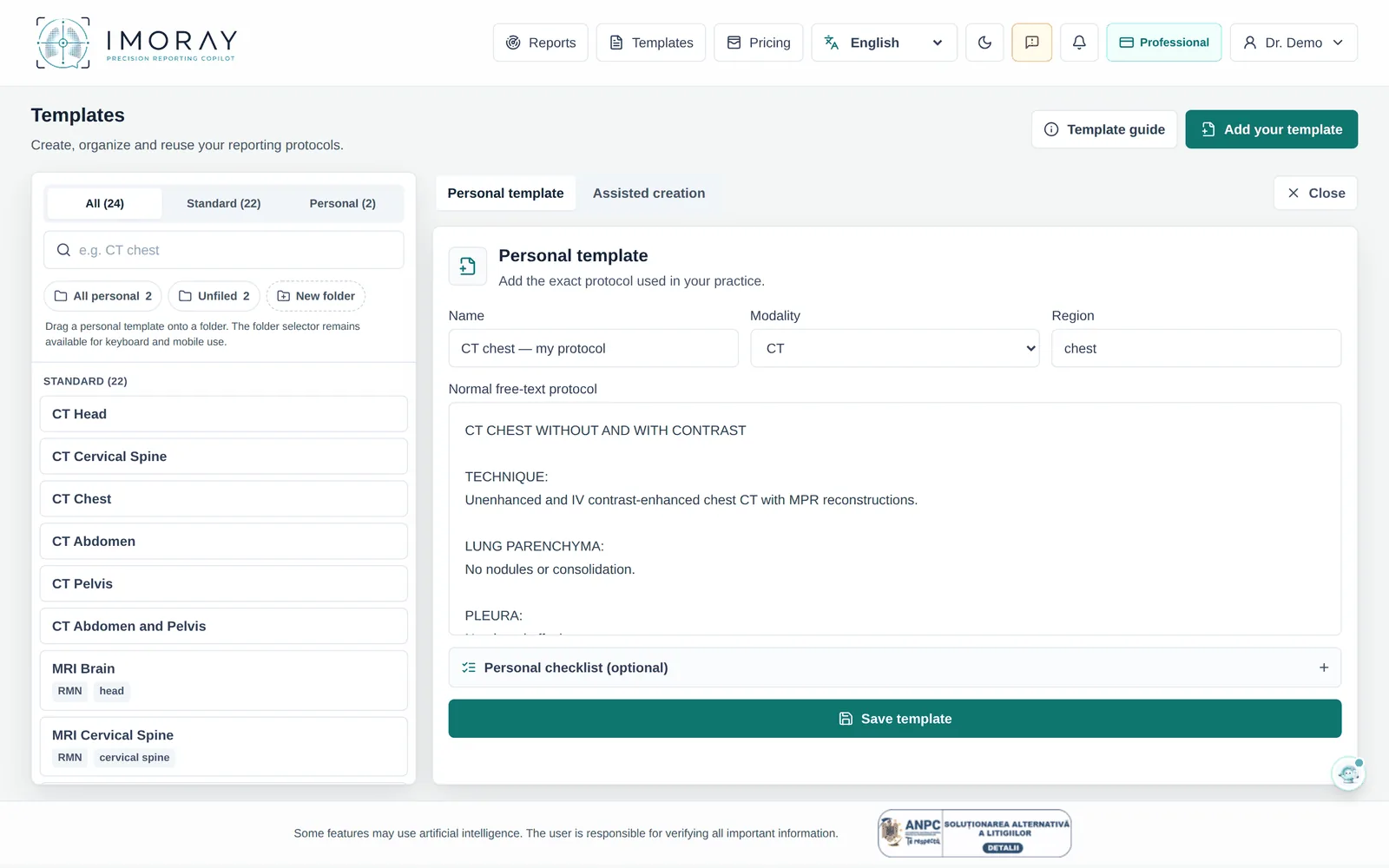
Your templates
Paste your template exactly as you use it, and IMORAY fills in the dictated findings. The library also has standard templates for CT, MRI, ultrasound and X-ray.
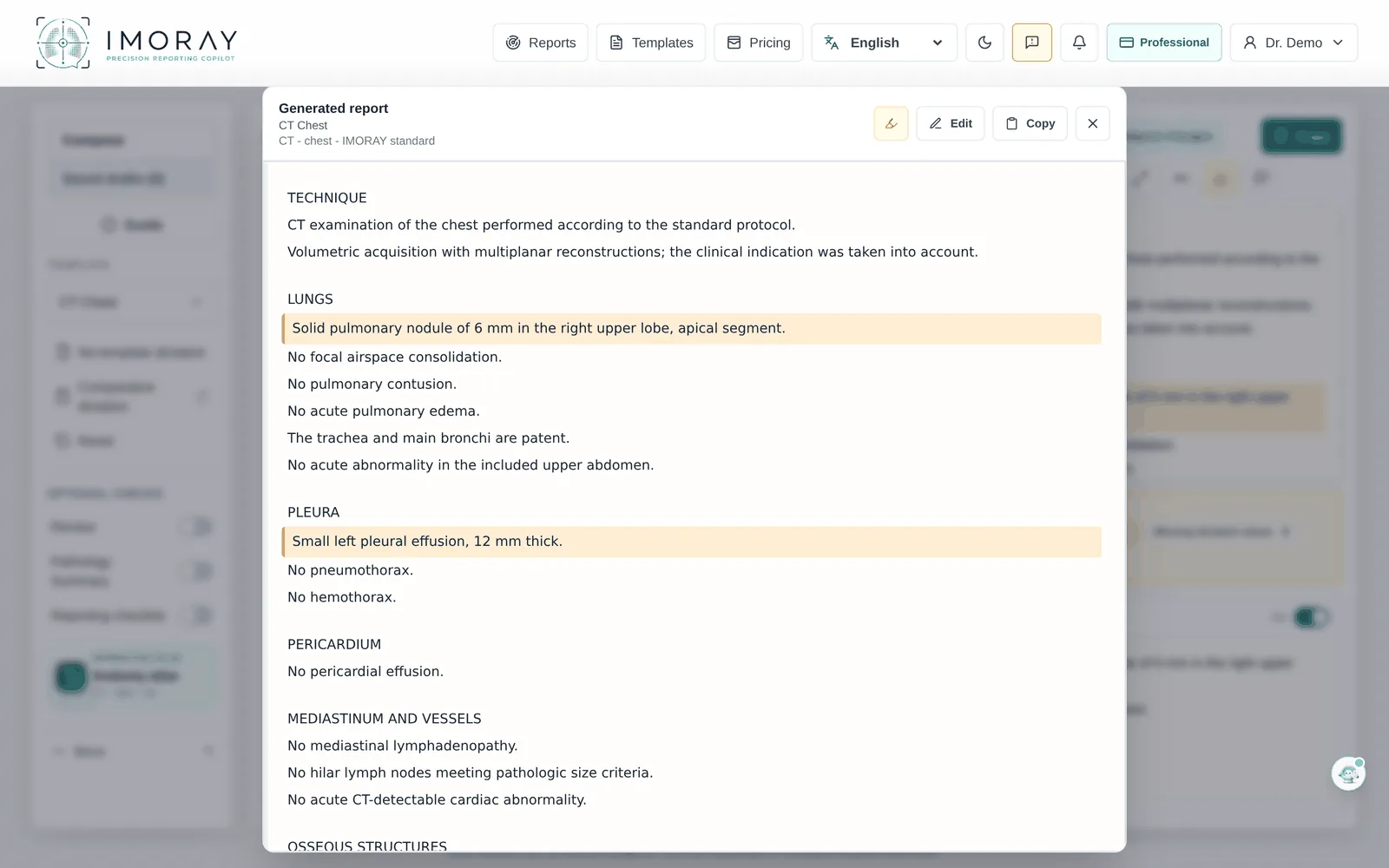
The report in your template, with the impression
The dictated findings go into the template sections and the impression is drafted from what you provided. Everything stays editable text, with the dictated findings highlighted.
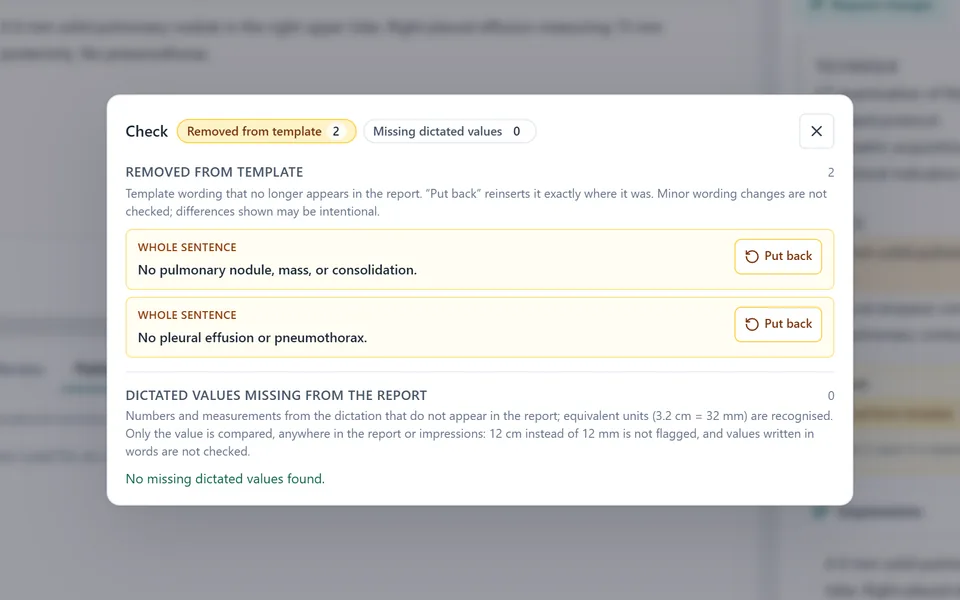
Left, right and numbers in view
You see how often right, left and bilateral appear in the dictation and which dictated values were not found in the report. The Check panel also shows template sentences that no longer appear, with “Put back”. The final check stays yours.
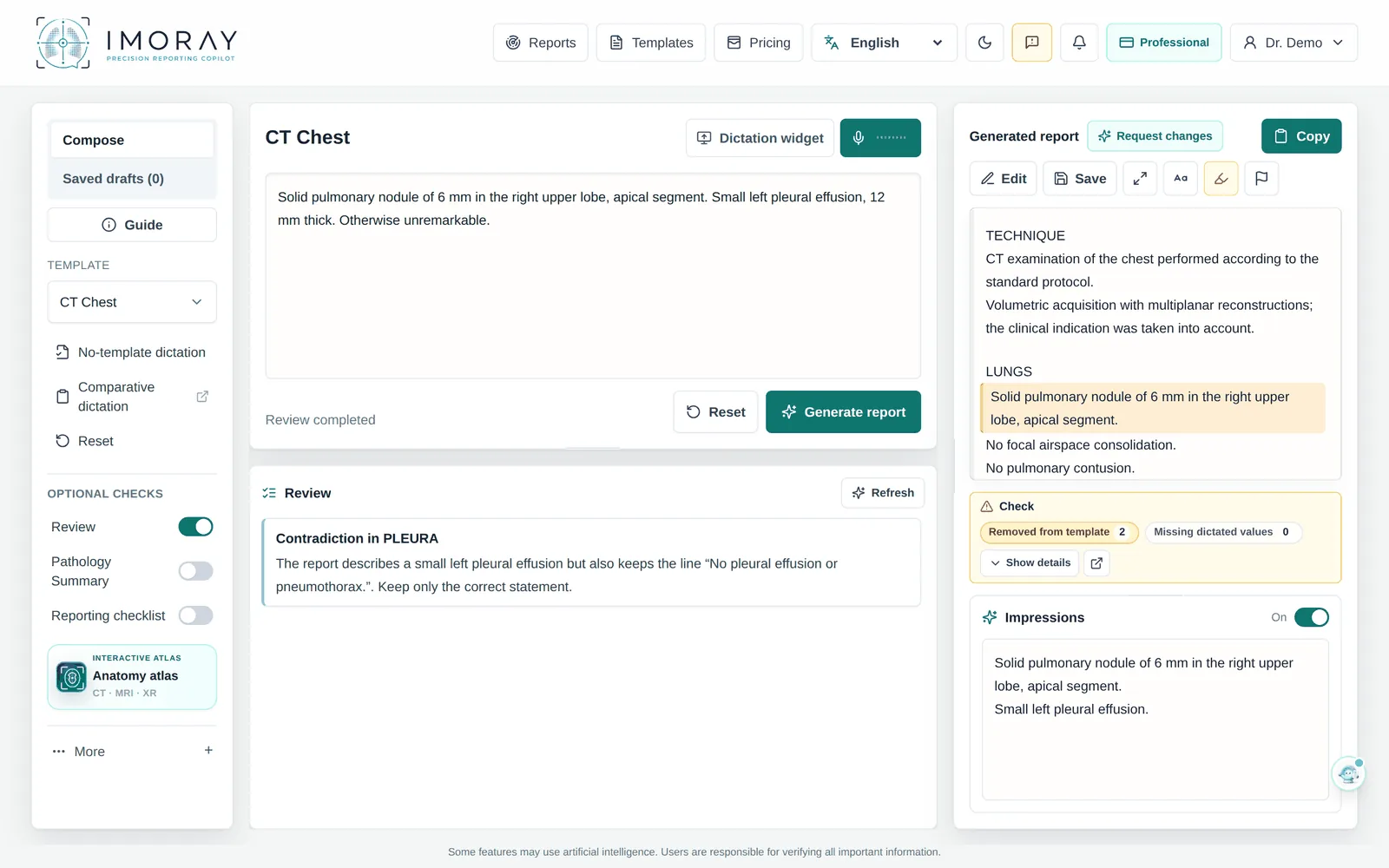
Review of the text
Review checks the report text separately and flags clear contradictions, unclear wording and obvious language errors, without rewriting the report. For a precise correction, you type or dictate what should change.
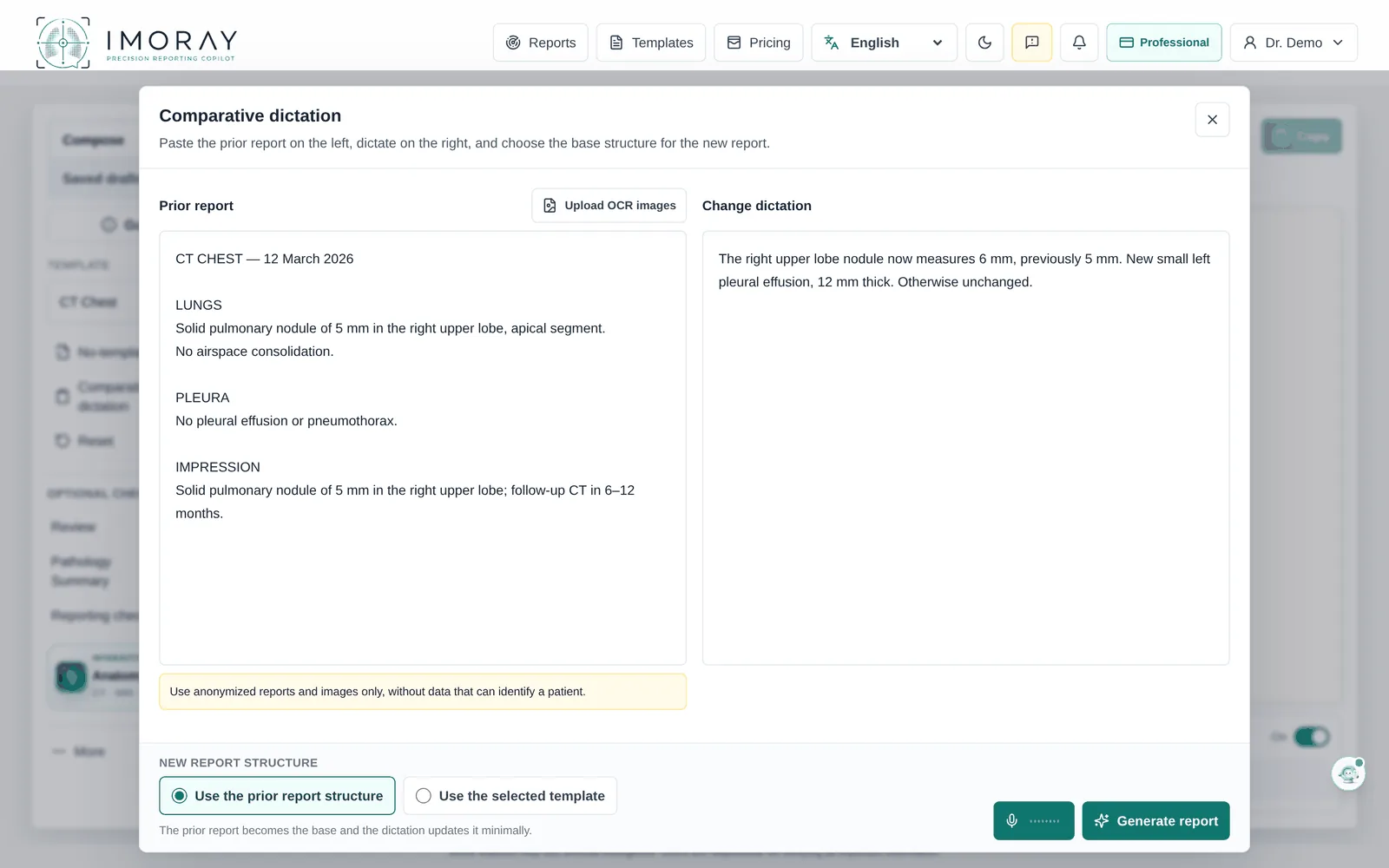
Comparative dictation, with OCR
Paste the anonymised previous report or upload up to 3 images of it, and OCR extracts the text. Dictate only what changed and choose whether the new report keeps the previous structure.
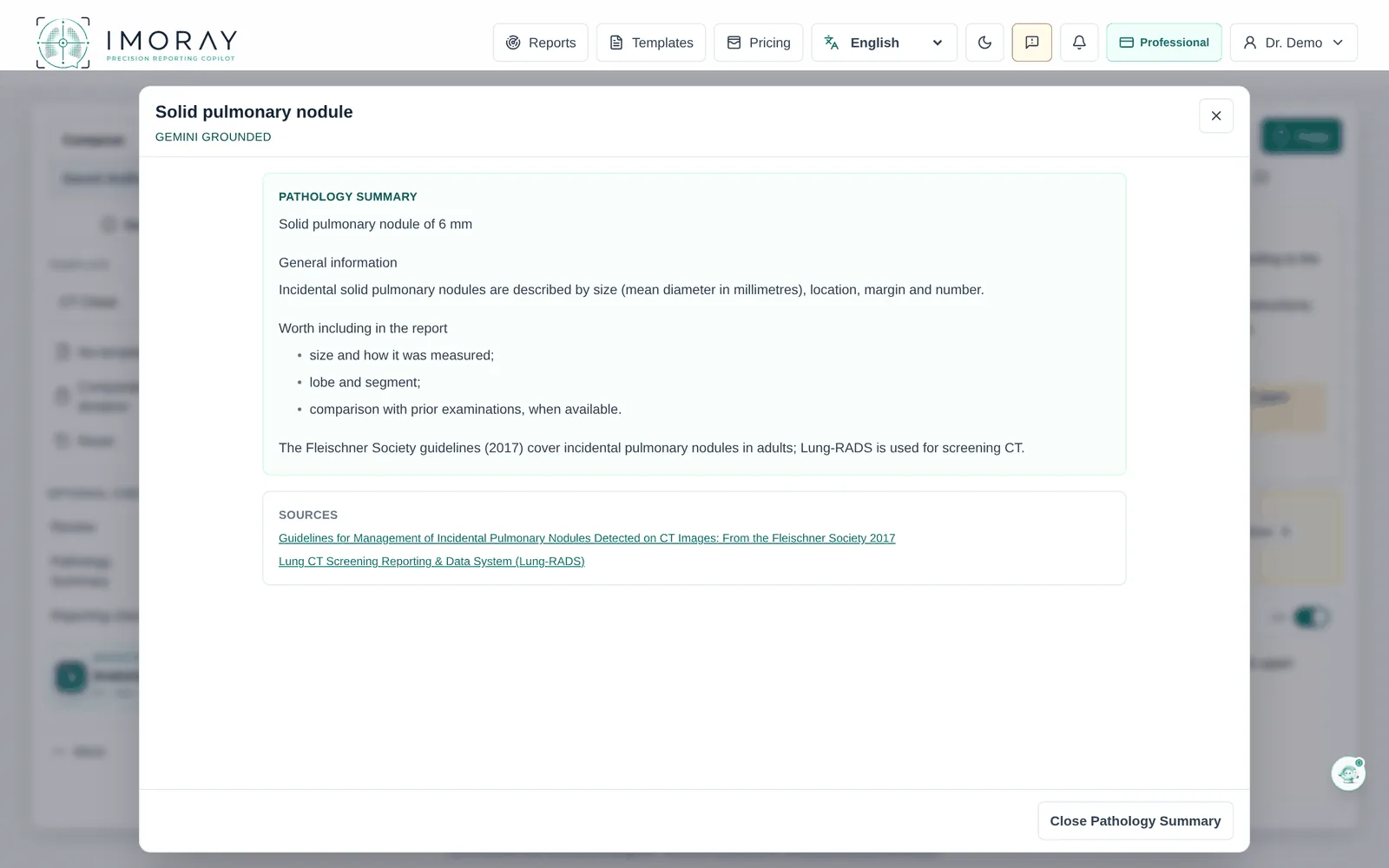
Pathology Summary, with sources
An educational summary of the dictated pathology, with key points, a reporting checklist and checked sources. It stays separate from the report.
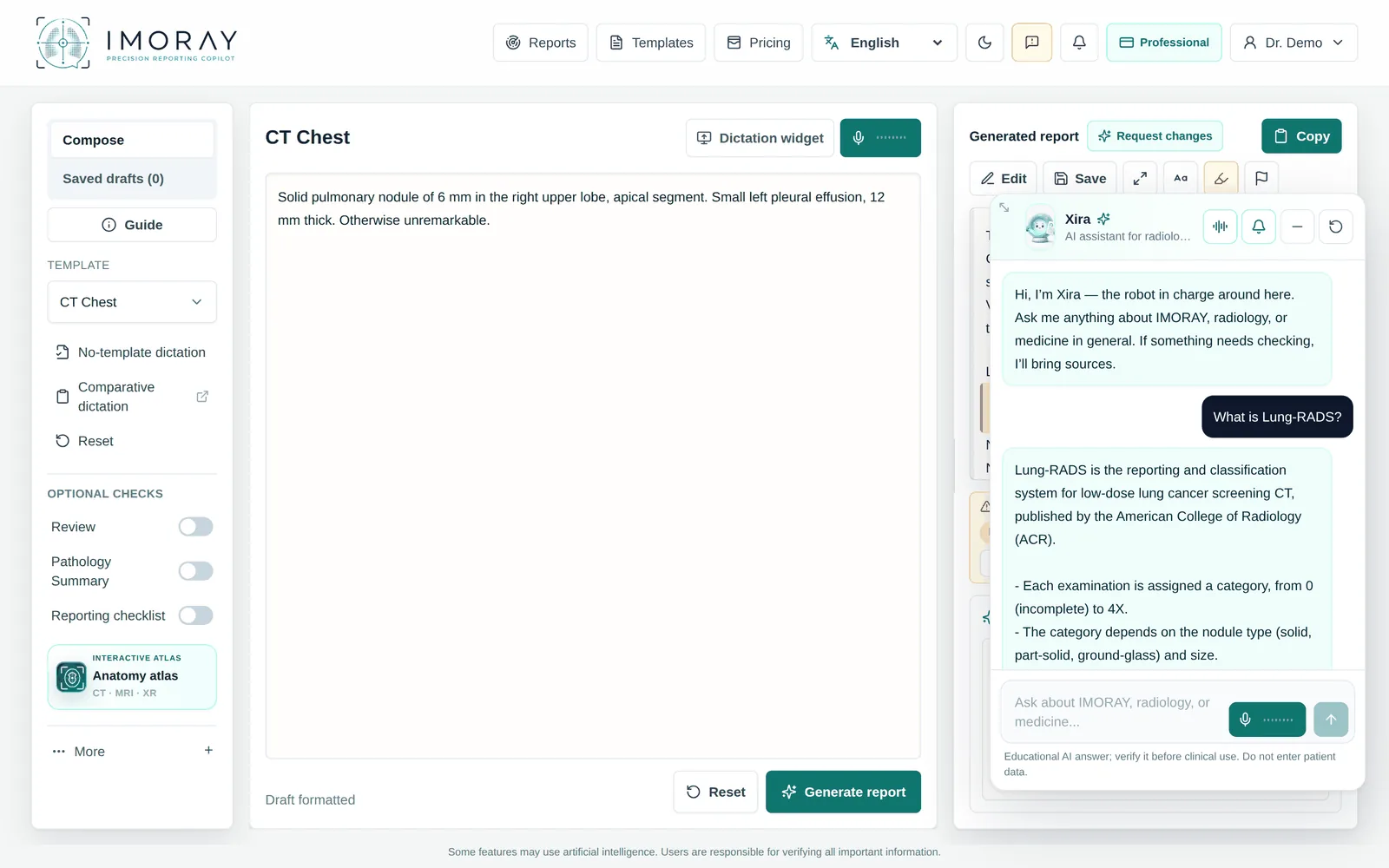
Xira, the assistant with a voice
Xira answers questions about IMORAY, radiology and medicine in general, with sources when needed, and you can ask aloud. Answers are educational, and you verify them before clinical use.
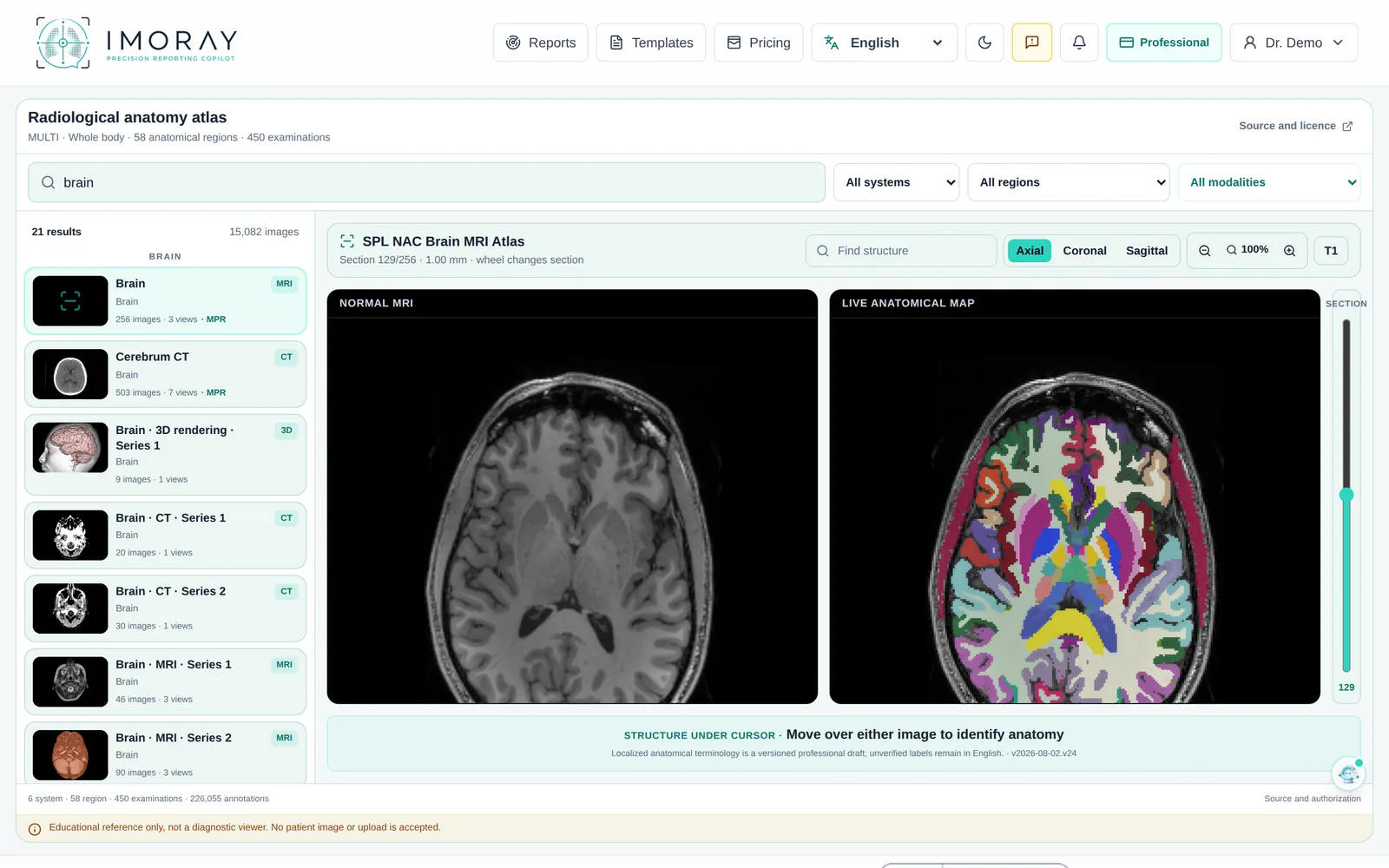
Radiological anatomy atlas
Search for a region or a structure and see it labelled on axial, coronal and sagittal sections. The atlas is an educational reference and does not accept patient images.
Complete or Essential
Every account starts in the Complete mode, with all the tools in view. For a simpler screen, switch to Essential in the settings, and back at any time, without losing what you wrote. You can also describe how you like your reports and impressions worded.
The interface is available in 26 languages, and you can choose the clinical language from 73. Romanian and English are pilot-tested in IMORAY.
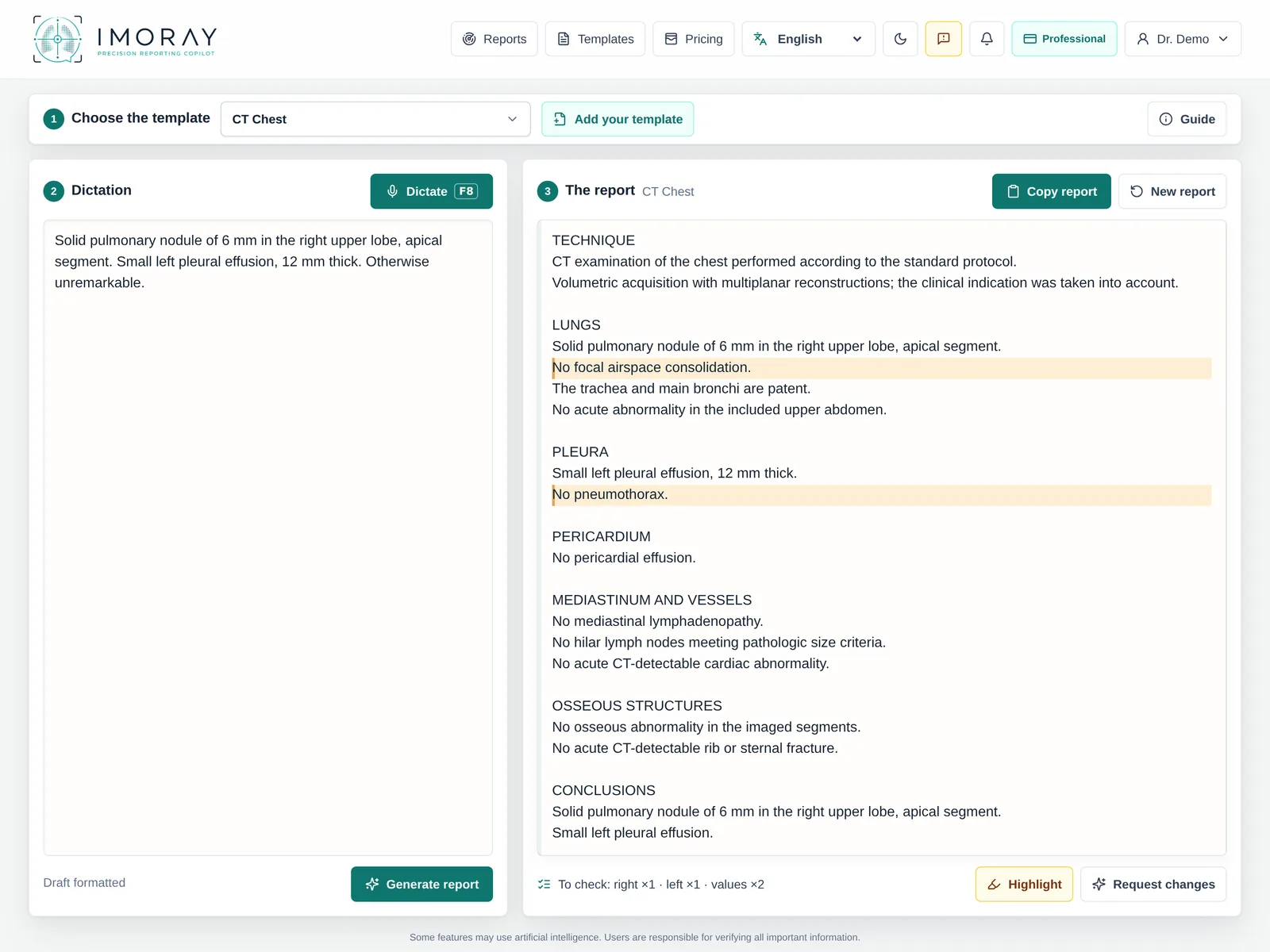
The Essential mode, with the same synthetic case.
Clear limits, human review
IMORAY is a radiology documentation assistant for professionals. It does not interpret images and does not replace professional judgment. It does not provide medical consultations, is not intended for patients, and does not sign, transmit or finalise a report on its own.
AI can be wrong. Before use, you check negation, laterality, numbers and units, then correct or reject the output.
No patient-identifying data
Do not enter names, national identification numbers, contact details, case numbers or other direct patient identifiers; IMORAY does not need them for drafting. The app and its database run on Google Cloud in Belgium, and the AI features use Google Gemini, whose processing location at the provider is global.
Trial and plans
You can try IMORAY free for 7 days, without a card, and the trial does not turn into a paid subscription on its own. After that, monthly plans renew until you cancel, and you can stop the renewal at any time from your account.
IMORAY links
IMORAY is for radiologists and authorised professional staff. It is operated by SYNRADX TECHNOLOGIES S.R.L. Do not include patient data in emails.